

The Animation System is the headline feature; blocks and most flow operators in the flow can now be animated with 20+ presets, custom easing curves, and per-target control, all without writing CSS. The new Library Script operator takes a similar approach to behavior: pick a script from a searchable library, fill in a form, and it just works. Custom Metrics let creatives track any event, with automatic aggregation into reporting exports across the full pipeline (Engine, Backend, Logs Parser).
Beyond the big three: a unified state system for hover/active styles, cleaner button and HTML templates, a general-purpose API proxy for creatives, viewability data in the MCP server, new developer docs, and a batch of bug fixes across the stack.
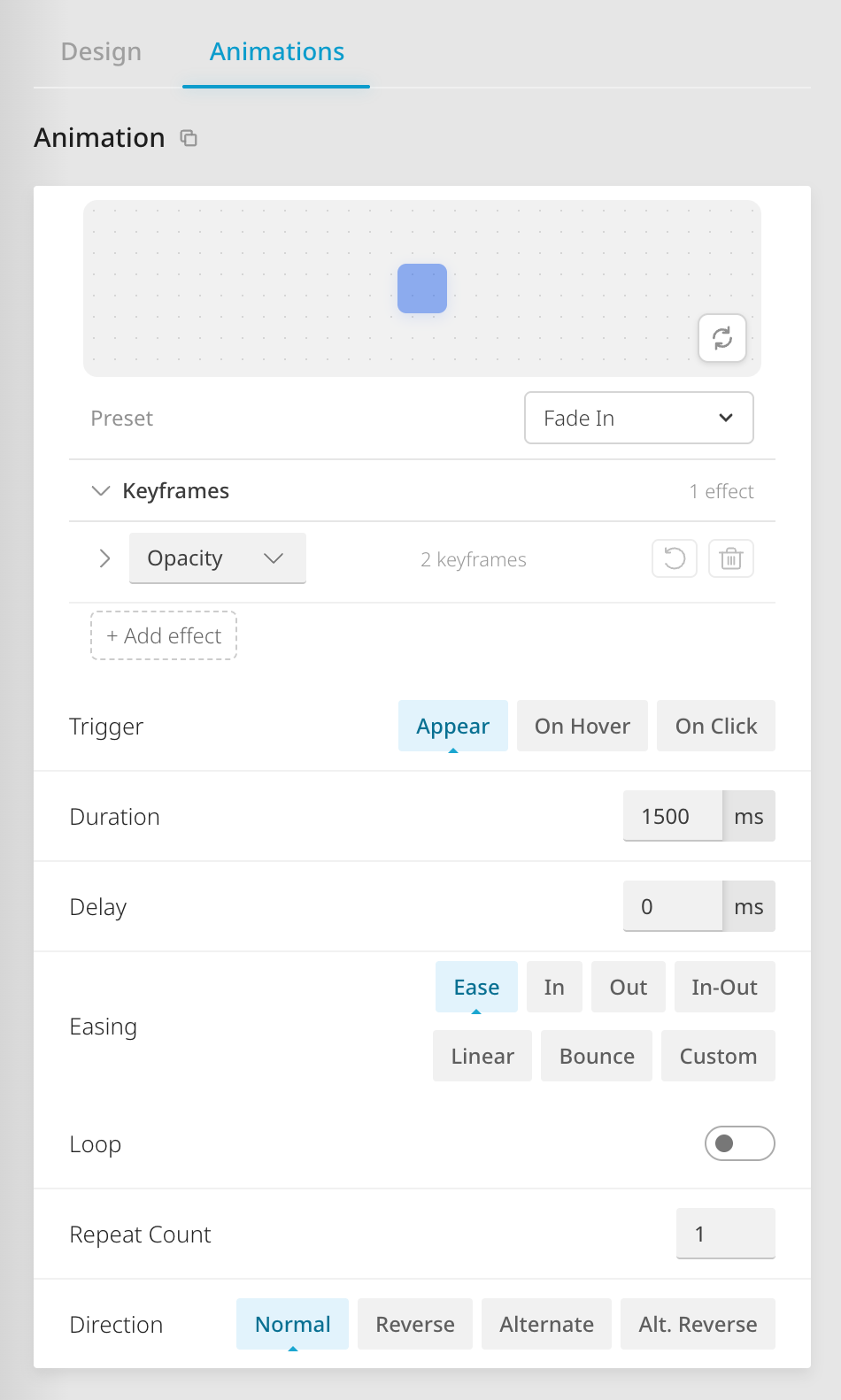
Animations no longer require custom CSS. Pick from 20+ ready-made presets for blocks and flow transitions, or combine effects to build your own; with full control over easing, timing, and direction.
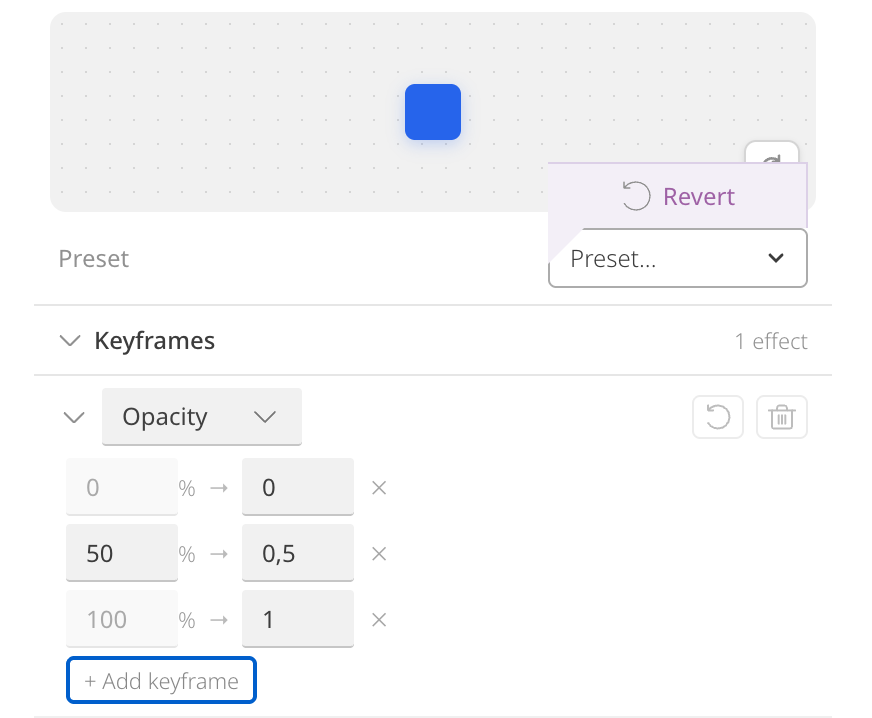
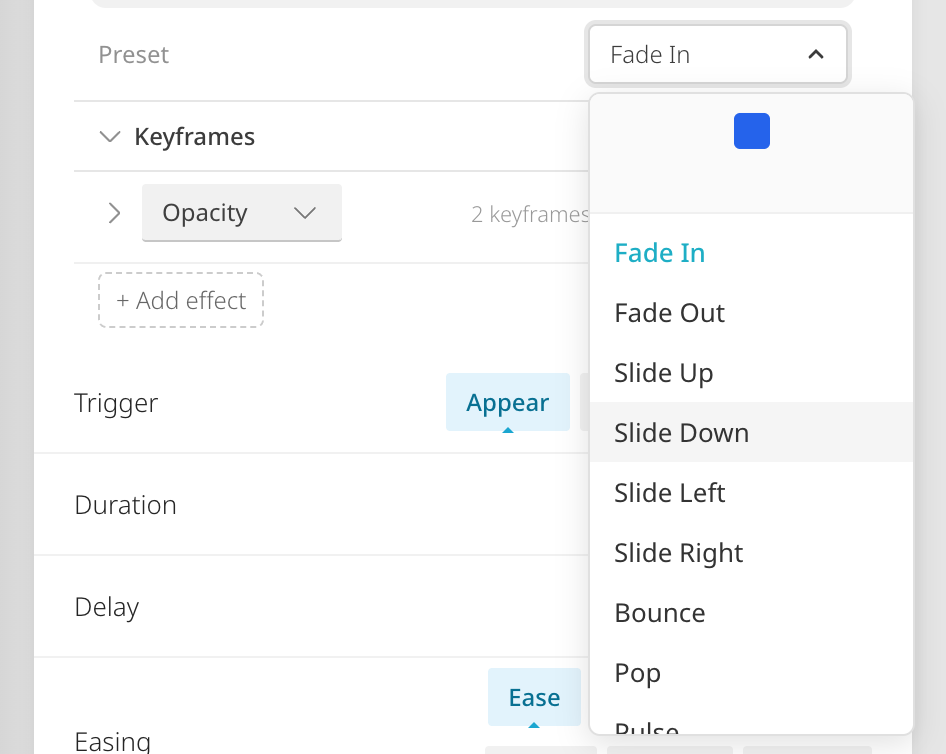
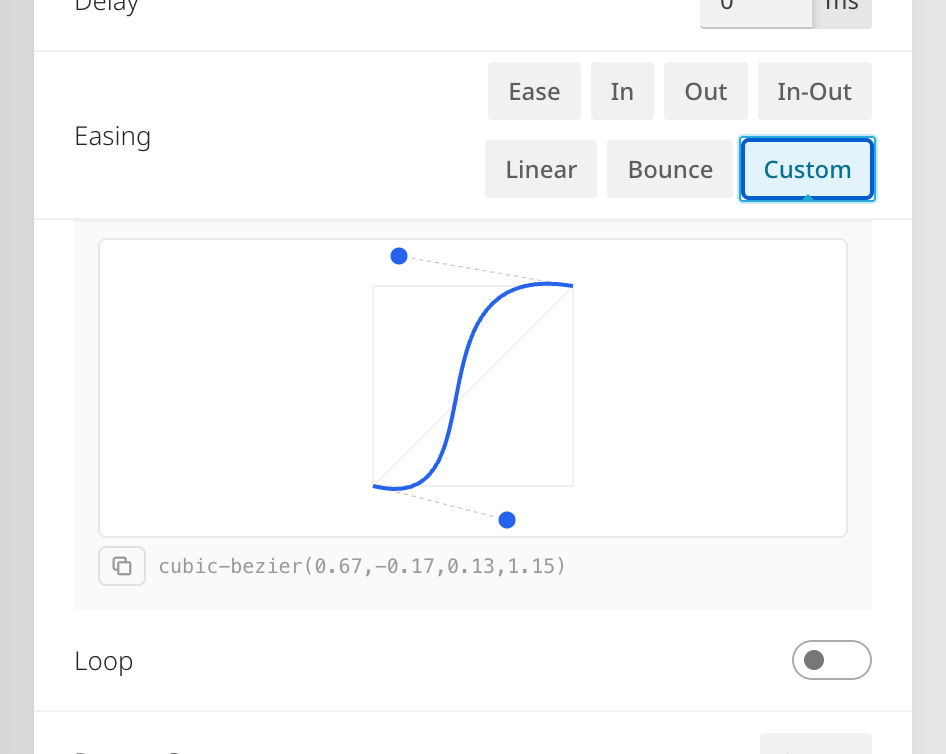
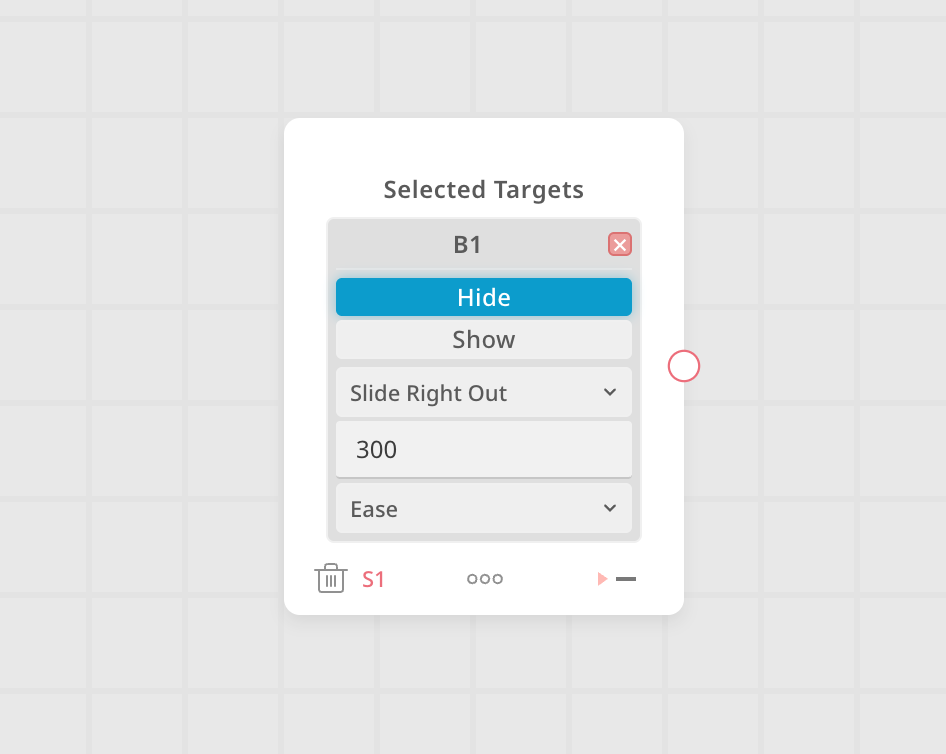
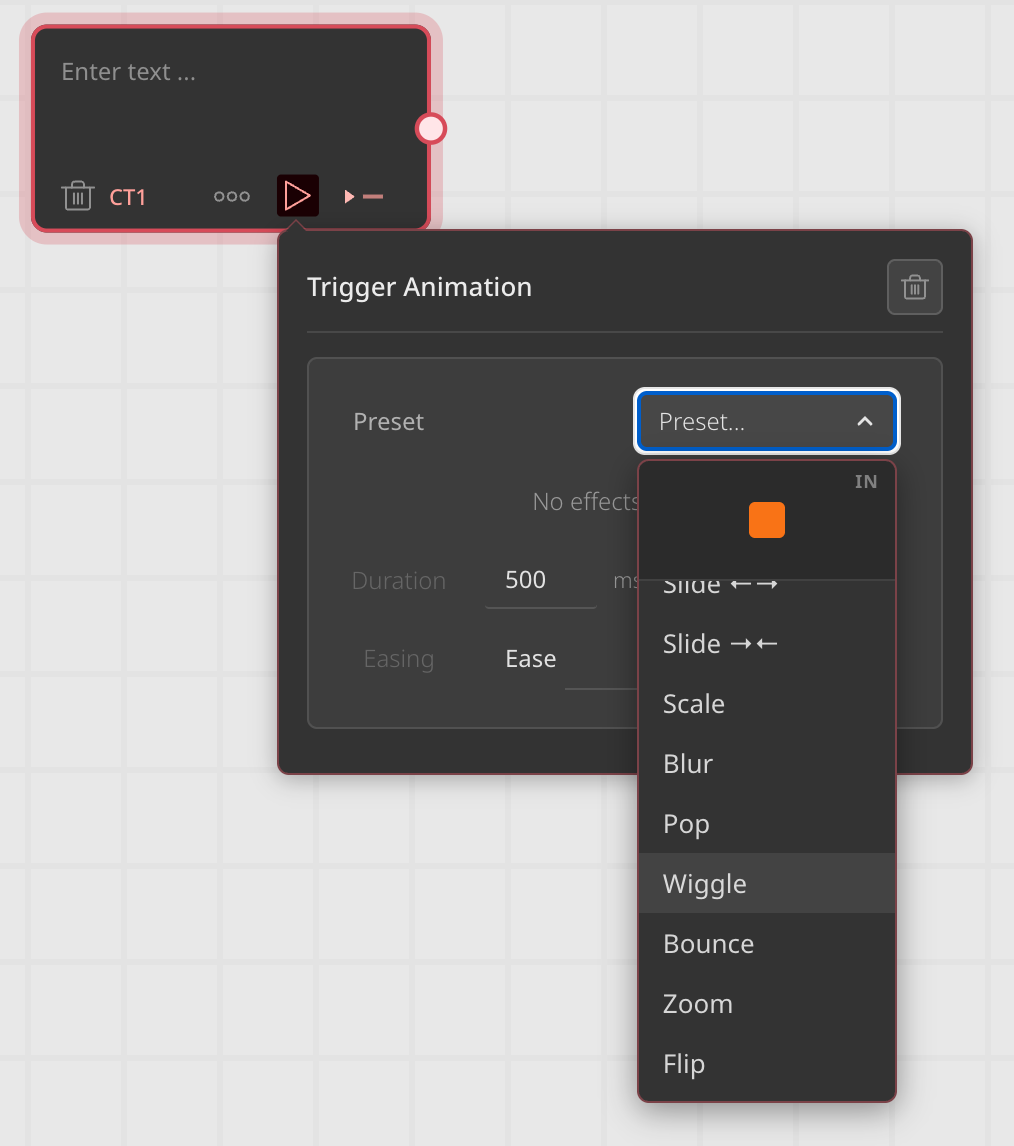
A new Animations tab appears on (almost) all block types; text, graphic, button, HTML, video, AR, and form. Pick from 20+ presets with a live hover preview in the dropdown, or build a custom animation with the visual keyframe editor. A small dot indicates when a preset has been tweaked, with a revert button on hover. A visual bezier curve editor with draggable control points and common presets like ease, bounce, and linear. Animations can be copied and pasted between blocks via icons in the tab header. Each effect row includes a reverse button to quickly flip the direction. Flow operators can now trigger animations on specific blocks. Pick an animation per target; show gets entrance animations, hide gets the reversed versions automatically. Slide presets animate blocks completely off-screen regardless of format size. Each target has its own preset, duration, and easing. A dedicated dark-themed panel with transition-style presets and a two-phase OUT→IN preview.
Flow animations take priority over block-level animations and keep their end state.


 AF #1806Everything you see and interact with in the Cavai platform; the creative builder, reports, campaign management, and moreAF #1806CE #706The runtime that displays and powers interactive creatives; handles all visual rendering, styling, animations, user flows, and analyticsCE #706CC #105Prepares creatives for delivery; optimizes fonts, compresses data, and packages everything the Engine needs to run the adCC #105
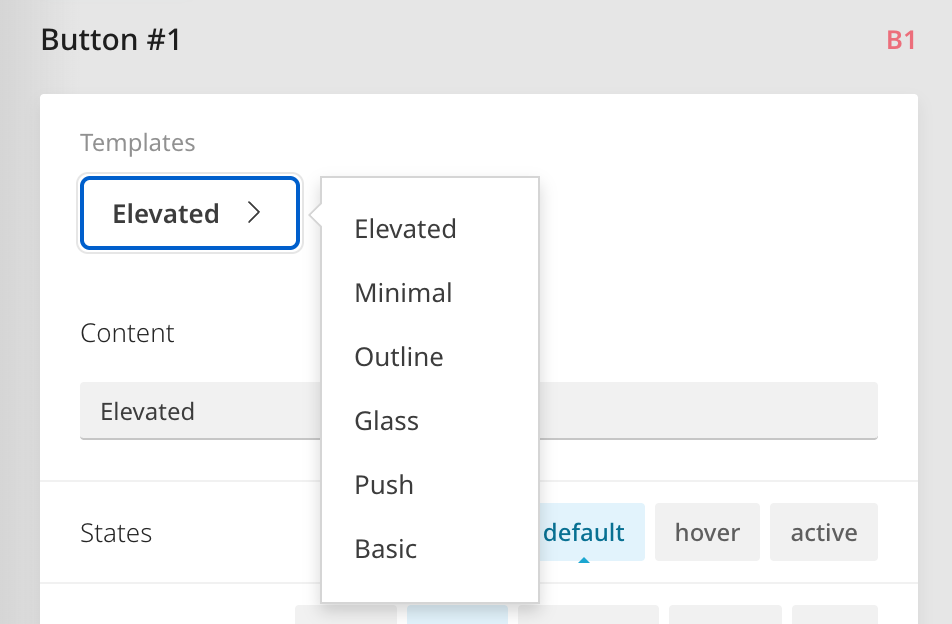
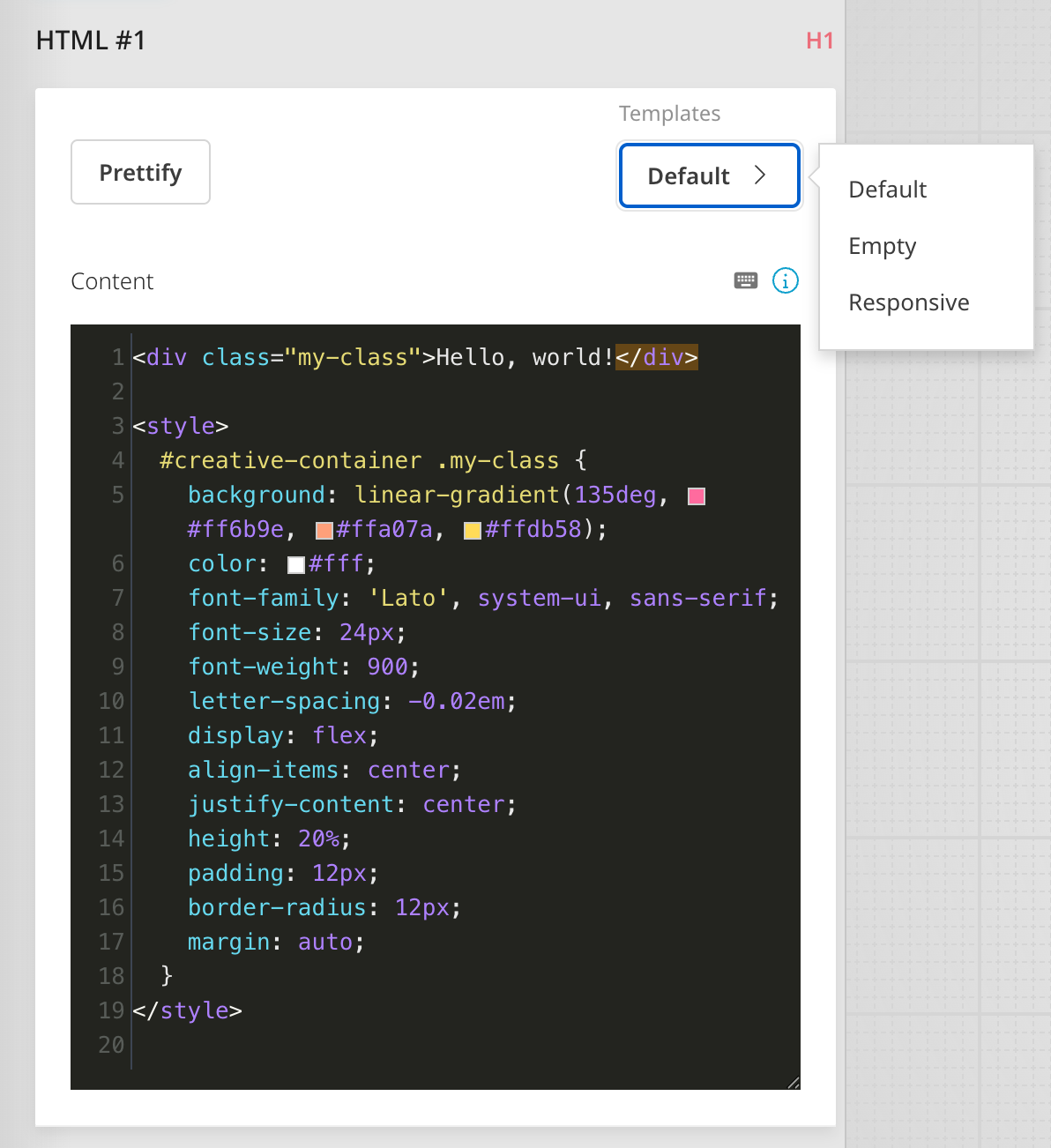
Cleaner button and HTML templates, updated border radius presets, and small code editor tweaks.
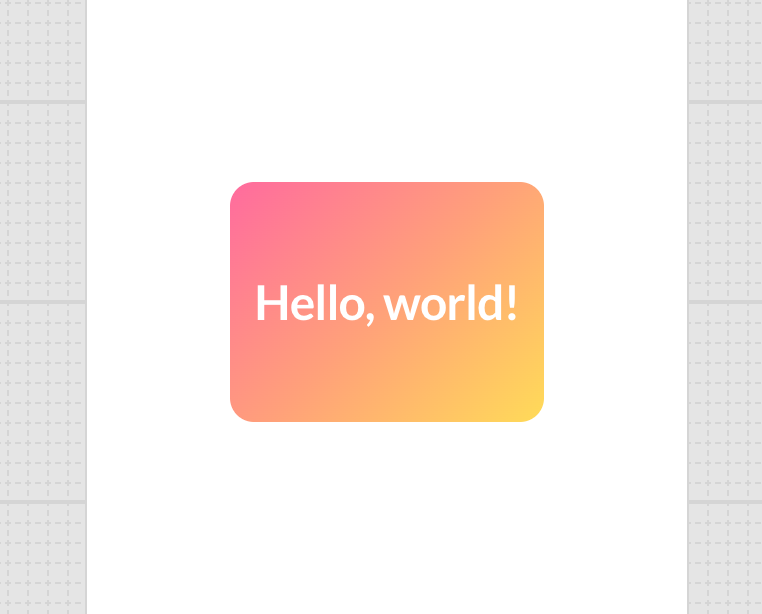
New Basic button template; a simple gray button with arched shape and no effects. The Bold and Cavai Classic templates have been removed. All remaining templates now use consistent border radius values and the unified Inter font. The template revert button replaces the old orange "modified" dot: it appears on hover with a confirmation step. Simplified from 10 down to 3: Default, Empty, and Responsive. The new default uses the signature Cavai gradient with Lato font. Line wrapping is now enabled; no more horizontal scrolling.
Border radius presets updated to cleaner values (0, 6, 16, 9999px). Manual adjustment no longer auto-snaps to a preset. Prettify line width increased to 120 characters. The editor itself is wider (50% of viewport).
Add custom behavior to creatives without writing code. Pick a script, fill in the form, done.
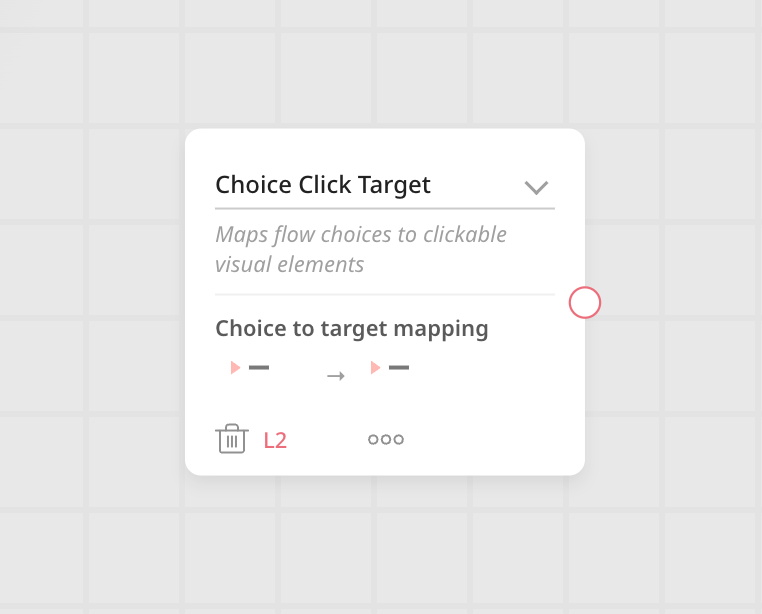
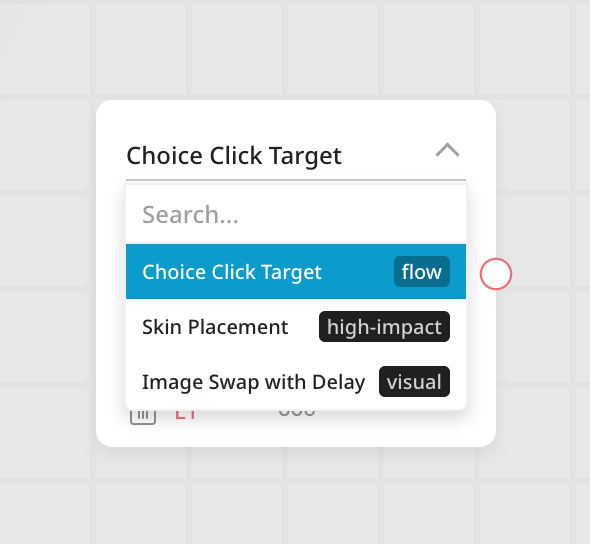
A new flow operator that lets you pick ready-made scripts from a searchable dropdown and configure them through an auto-generated form. The form adapts to each script, supporting different parameter types: text, numbers, toggles, colors, URLs, element pickers, and flow step pickers. The library is designed to grow over time; commonly used behaviors like click-target mapping, skin placement, and image swaps can be added as scripts, making them available to the whole team without touching code.
Under the hood, the assembled script is stored as standard JavaScript; fully compatible with existing creatives.
The AI assistant can now pull viewability data; like how long people actually looked at a creative; and includes smarter usage limits to keep things running smoothly.
Viewable impressions and time-in-view are now available when pulling reports through the AI assistant. Useful for quickly checking how well a campaign is performing without opening the dashboard. A built-in rate limiter prevents the assistant from overwhelming the platform with too many requests at once. If it hits the limit, it automatically slows down.
AF #1806Everything you see and interact with in the Cavai platform; the creative builder, reports, campaign management, and moreAF #1806CE #706The runtime that displays and powers interactive creatives; handles all visual rendering, styling, animations, user flows, and analyticsCE #706CC #105Prepares creatives for delivery; optimizes fonts, compresses data, and packages everything the Engine needs to run the adCC #105AF #1802Everything you see and interact with in the Cavai platform; the creative builder, reports, campaign management, and moreAF #1802AF #1809Everything you see and interact with in the Cavai platform; the creative builder, reports, campaign management, and moreAF #1809AF #1799Everything you see and interact with in the Cavai platform; the creative builder, reports, campaign management, and moreAF #1799AF #1815Everything you see and interact with in the Cavai platform; the creative builder, reports, campaign management, and moreAF #1815AF #1801Everything you see and interact with in the Cavai platform; the creative builder, reports, campaign management, and moreAF #1801AF #1793Everything you see and interact with in the Cavai platform; the creative builder, reports, campaign management, and moreAF #1793CE #710The runtime that displays and powers interactive creatives; handles all visual rendering, styling, animations, user flows, and analyticsCE #710AB #555, #556The server behind the platform; manages user accounts, campaigns, creatives, and connects to external servicesAB #555, #556LP #33Collects and processes raw ad performance data from the CDN into structured analytics used by reportsLP #33AF #1806Everything you see and interact with in the Cavai platform; the creative builder, reports, campaign management, and moreAF #1806CE #706The runtime that displays and powers interactive creatives; handles all visual rendering, styling, animations, user flows, and analyticsCE #706CC #105Prepares creatives for delivery; optimizes fonts, compresses data, and packages everything the Engine needs to run the adCC #105CE #709The runtime that displays and powers interactive creatives; handles all visual rendering, styling, animations, user flows, and analyticsCE #709CE #704The runtime that displays and powers interactive creatives; handles all visual rendering, styling, animations, user flows, and analyticsCE #704CE #703The runtime that displays and powers interactive creatives; handles all visual rendering, styling, animations, user flows, and analyticsCE #703CE #710The runtime that displays and powers interactive creatives; handles all visual rendering, styling, animations, user flows, and analyticsCE #710AB #555, #556The server behind the platform; manages user accounts, campaigns, creatives, and connects to external servicesAB #555, #556LP #33Collects and processes raw ad performance data from the CDN into structured analytics used by reportsLP #33AB #554The server behind the platform; manages user accounts, campaigns, creatives, and connects to external servicesAB #554AB #553The server behind the platform; manages user accounts, campaigns, creatives, and connects to external servicesAB #553AF #1806Everything you see and interact with in the Cavai platform; the creative builder, reports, campaign management, and moreAF #1806CE #706The runtime that displays and powers interactive creatives; handles all visual rendering, styling, animations, user flows, and analyticsCE #706CC #105Prepares creatives for delivery; optimizes fonts, compresses data, and packages everything the Engine needs to run the adCC #105CE #710The runtime that displays and powers interactive creatives; handles all visual rendering, styling, animations, user flows, and analyticsCE #710AB #555, #556The server behind the platform; manages user accounts, campaigns, creatives, and connects to external servicesAB #555, #556LP #33Collects and processes raw ad performance data from the CDN into structured analytics used by reportsLP #33 AP #2Delivers images, fonts, and other assets to live creatives, and proxies API calls from adsAP #2DOCS #11Platform documentation and guides for users and developersDOCS #11DOCS #6Platform documentation and guides for users and developersDOCS #6DOCS #10Platform documentation and guides for users and developersDOCS #10