

April was mainly focused on quality and tooling. A few larger features have been in the works alongside all of this and are close to landing, so most of what shipped this month is bug fixes, tighter analytics accuracy, and polish on things that were almost-but-not-quite right.
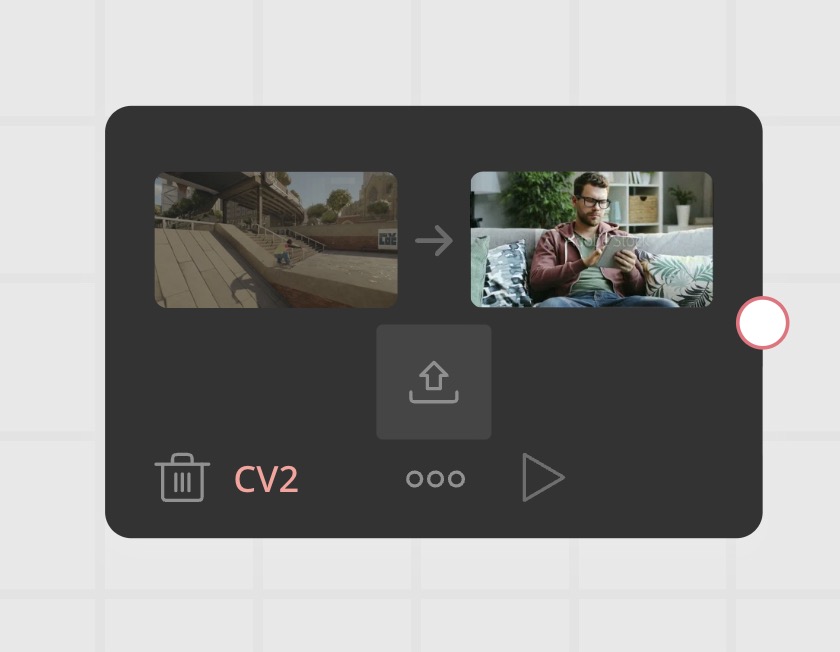
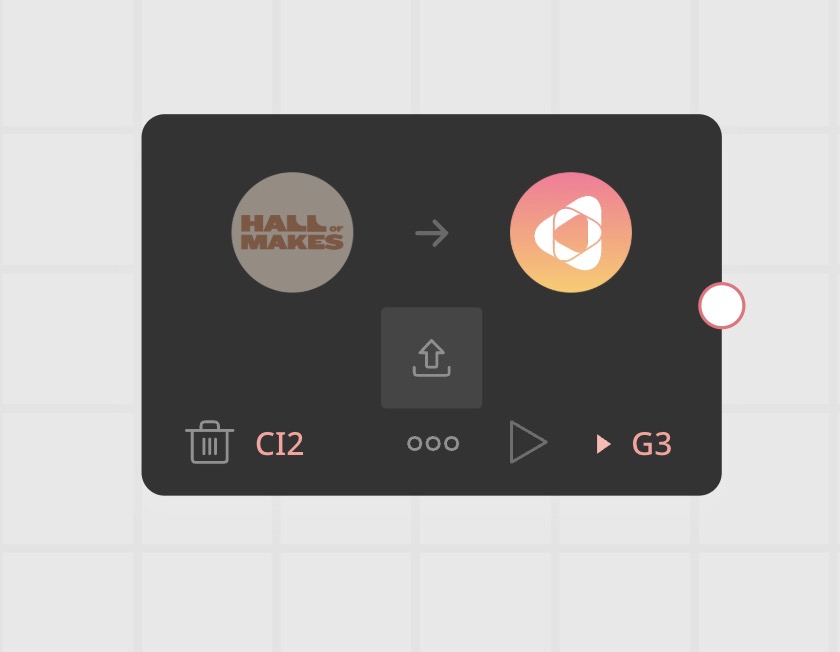
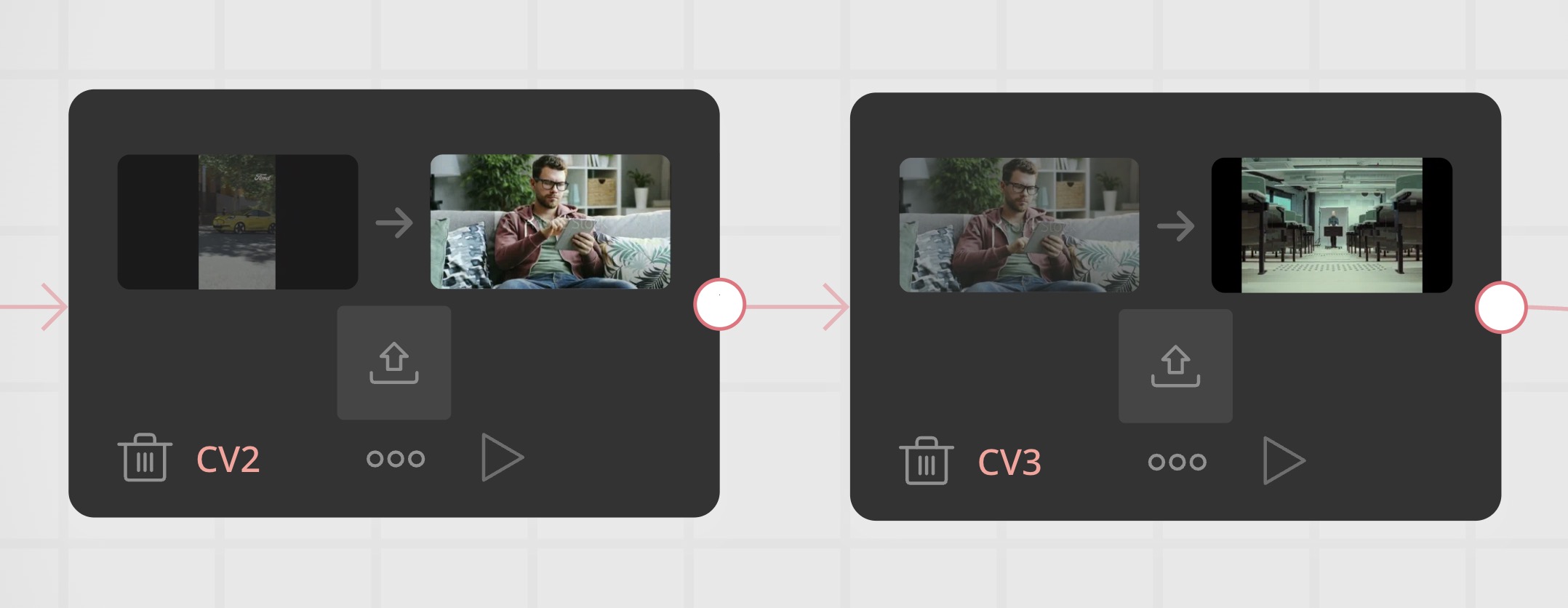
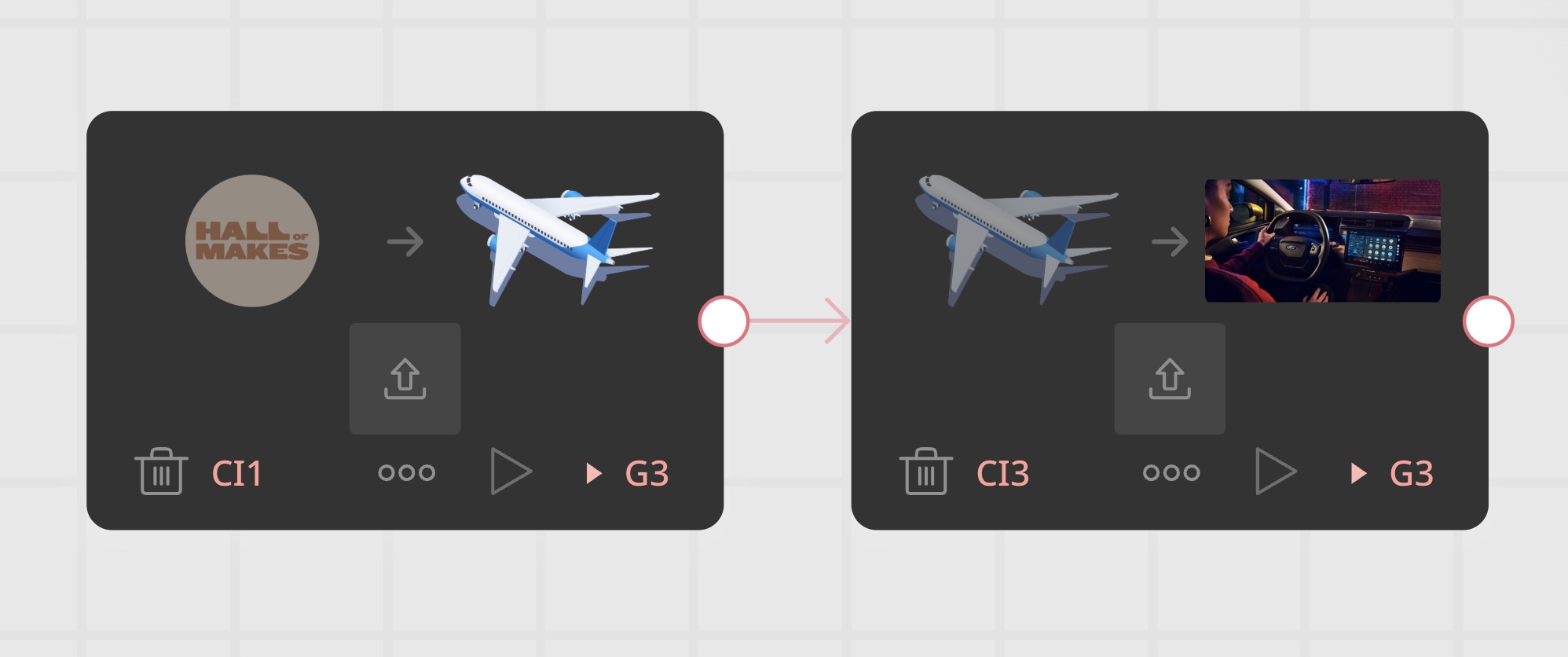
Change Video and Change Image are redesigned with side-by-side before/after previews that also show previous changes in a chain. The builder preview is more stable and now remembers your zoom level, while the standalone preview gets a lightweight mobile mode for reviewing creatives on the go. The R&D team gets new Developer Tools that make it easier to build and debug creatives by seeing more of what's happening under the hood.
On the Engine side, a broad round of analytics fixes corrects visibility tracking, click counting, and time-in-view reporting. The Logs Parser switches to a more efficient processing pipeline for analytics data.
The Change Video and Change Image flow components now show what the block looks like before and after the change, making it much easier to see what you're replacing.
Previously, you could only see the new content you were uploading. Now the component shows the current block content on the left and the replacement on the right, so you always know what you're changing from and to. When multiple changes target the same block in a flow, the "before" side now shows the result of the previous change, not the original block. This makes it easier to follow what's happening at each step when building multi-step content swaps. Replacing a streaming video via Change Video now works correctly. Previously, the replacement would fall back to a regular video file, which loads everything at once and makes the creative much heavier. Now you can use Change Video with streaming and still deliver lightweight creatives. Existing creatives with this issue continue to work without rebuilding. Video uploads are now a supported parameter type in Library Scripts. Scripts can also declare which block types they need, so they only show up when the creative actually has the right blocks.


 AF #1839Everything you see and interact with in the Cavai platformAF #1839AF #1838Everything you see and interact with in the Cavai platformAF #1838AF #1852Everything you see and interact with in the Cavai platformAF #1852CE #724The runtime that displays and powers interactive creativesCE #724CE #729The runtime that displays and powers interactive creativesCE #729
When building creatives, a lot happens under the hood. The new developer tools make it easier to see exactly what's going on: how blocks are set up, whether tracking is working, and what data the creative is using.
The builder preview no longer jumps on load, the standalone preview works better on mobile, and unpublished changes are now clearly visible in the creative list.
A broad set of fixes to how the Engine tracks visibility, clicks, and time-in-view, plus several stability improvements.
CE #716The runtime that displays and powers interactive creativesCE #716CE #735The runtime that displays and powers interactive creativesCE #735CE #726The runtime that displays and powers interactive creativesCE #726CE #720The runtime that displays and powers interactive creativesCE #720CE #719The runtime that displays and powers interactive creativesCE #719AB #557The server behind the platformAB #557The analytics processing pipeline has been reworked for better performance and reliability.
LP #37Collects and processes raw ad performance data from the CDN into structured analytics used by reportsLP #37LP #35Collects and processes raw ad performance data from the CDN into structured analytics used by reportsLP #35LP #34Collects and processes raw ad performance data from the CDN into structured analytics used by reportsLP #34AF #1830Everything you see and interact with in the Cavai platformAF #1830AF #1839Everything you see and interact with in the Cavai platformAF #1839AF #1838Everything you see and interact with in the Cavai platformAF #1838AF #1843Everything you see and interact with in the Cavai platformAF #1843AF #1845Everything you see and interact with in the Cavai platformAF #1845AF #1847Everything you see and interact with in the Cavai platformAF #1847AF #1849Everything you see and interact with in the Cavai platformAF #1849AF #1852Everything you see and interact with in the Cavai platformAF #1852AF #1854Everything you see and interact with in the Cavai platformAF #1854AF #1854Everything you see and interact with in the Cavai platformAF #1854AF #1854Everything you see and interact with in the Cavai platformAF #1854AF #1855Everything you see and interact with in the Cavai platformAF #1855AB #562The server behind the platformAB #562AF #1860Everything you see and interact with in the Cavai platformAF #1860AF #1862Everything you see and interact with in the Cavai platformAF #1862CE #720The runtime that displays and powers interactive creativesCE #720CE #721The runtime that displays and powers interactive creativesCE #721CE #723The runtime that displays and powers interactive creativesCE #723CE #724The runtime that displays and powers interactive creativesCE #724CE #726The runtime that displays and powers interactive creativesCE #726CE #729The runtime that displays and powers interactive creativesCE #729CE #735The runtime that displays and powers interactive creativesCE #735AB #562The server behind the platformAB #562AF #1855Everything you see and interact with in the Cavai platformAF #1855LP #37Collects and processes raw ad performance data from the CDN into structured analytics used by reportsLP #37